TradingView Bar Replay: a reproducible practice checklist
Create an auditable replay exercise with recorded settings, hidden future bars and separate simulated results.
Decide what the exercise is testing
Use replay to practice a defined observation or decision process, not to find a screenshot that proves a strategy works. Before starting, write a rule you can apply without knowing the next bar. For example, a learning exercise might record each completed bar’s range and whether a prewritten condition is present, without placing any simulated trade. Record the rule before viewing the result; a rule changed afterward belongs to a new exercise.
Record the setup before pressing play
TradingView’s documented workflow uses the Bar Replay control and a selected historical starting point. Availability and historical coverage vary, so check the current product documentation for the symbol, interval and account you use rather than buying a plan based on an assumed limit. Your worksheet should record symbol and data provider, chart interval, time zone, starting date, replay speed and indicator settings. Keep a screenshot of the initial configuration if it contains no private account information.
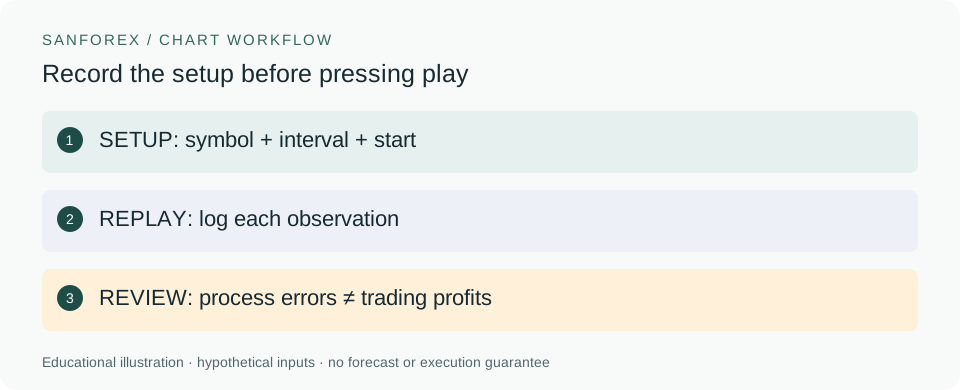
Hypothetical example: SETUP: symbol + interval + start. REPLAY: log each observation. REVIEW: process errors ≠ trading profits.
Open full-size diagram ↗Keep live and replay information separate
TradingView documents limitations around replay, including that ordinary trading-panel and quote-list prices can remain real-time while a chart is replaying. Its dedicated historical-trading workflow is a separate feature. Do not treat a live quote or normal paper-trading result as a historical replay fill. Before recording a simulated execution, identify exactly which mode produced it and what data it used. If this is unclear, label the record as an observation rather than a simulated trade.
Use a precommitted observation log
A simple original exercise is to examine 20 consecutive completed bars from a start chosen before inspection. For each step, record the timestamp, observed values, the prewritten rule’s result and whether you changed any setting. Do not skip inconvenient bars or restart at a better-looking point without recording that choice. Twenty observations are only a manageable practice batch; they are not a statistically sufficient proof of effectiveness. Save rejected and ambiguous observations alongside the tidy ones.
Review mistakes separately from performance
At the end, count missing timestamps, accidental future peeks and mid-session rule changes. These diagnose the exercise’s reliability. If you also simulated trades, record quantities, assumed fills and costs separately, clearly labeled hypothetical. SanForex’s local journal can hold manually entered results, but it does not import a TradingView replay or reproduce its execution rules. Export your notes for comparison before changing the exercise, and never describe simulated outcomes as money earned.
Sources and conventions
Examples are hypothetical. Worked examples state their formulas and assumptions in the article; our methodology explains the related calculators. Broker contract specifications determine actual lot, margin and execution conditions. These sources document definitions and data; a source link does not imply endorsement of SanForex or a trading service.
These materials are prepared with AI assistance and checked against worked examples and deterministic calculation tests where applicable. They are not an expert suitability assessment or investment advice.
Open trading journal tool ↗