Check market sessions at a selected UTC date and time
Use Market Hours to compare the displayed weekday sessions at a chosen UTC instant or the live clock. The indicative windows follow city time zones; they do not establish instrument availability.
Choose a UTC instant
Enter a UTC date and time, then select Check selected time. The tool accepts dates from 2000 through 2100 and rejects malformed or impossible calendar dates. Its local clocks and session states are calculated for Sydney, Tokyo, London and New York using their IANA time zones, so seasonal clock changes are reflected.
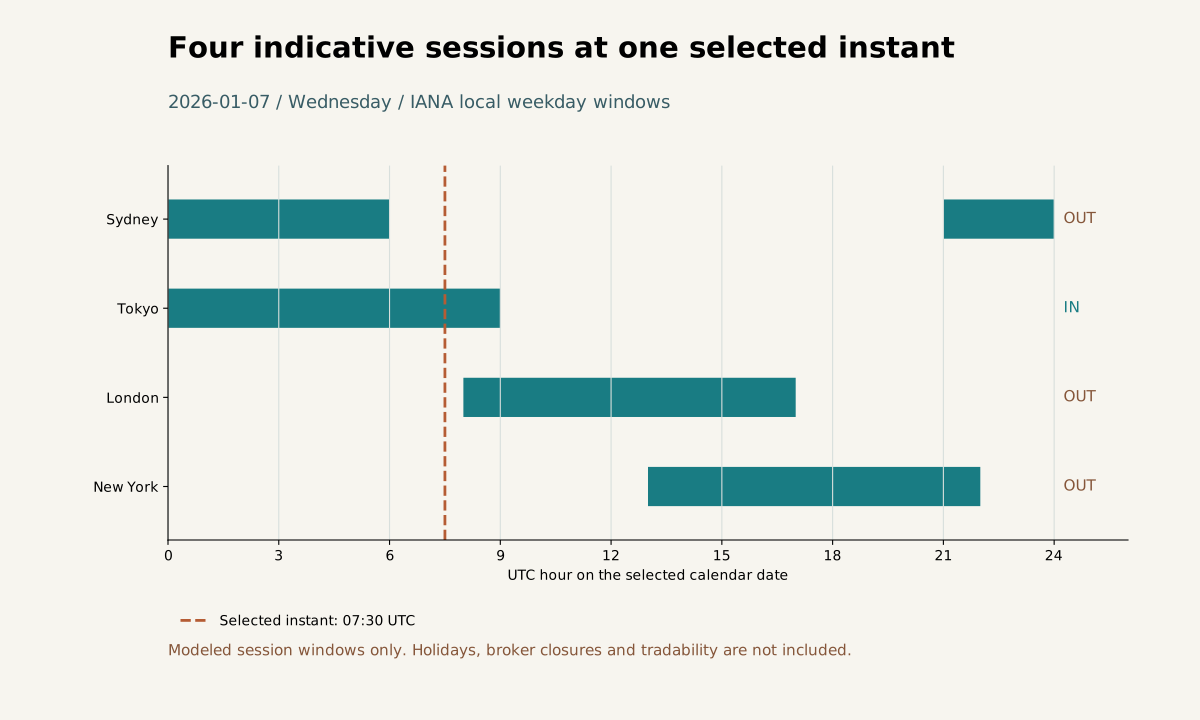
At 2026-01-07 07:30 UTC: Sydney 18:30: OUT; Tokyo 16:30: IN; London 07:30: OUT; New York 02:30: OUT. Bars show indicative local weekday windows, not actual market availability.
Open full-size diagram ↗Four reproducible checks
In an illustrative planning exercise, enter 2026-01-07 at 07:30 UTC: London is 07:30 and outside its indicative weekday window. Enter 2026-07-01 at 07:30 UTC: London is 08:30 and inside that window. At 2026-07-01 16:00 UTC, London is 17:00 and outside because the closing boundary is exclusive. On Saturday 2026-07-04 at 07:30 UTC, all four displayed sessions are outside their weekday windows. These checks exclude holidays and broker interruptions; they do not establish instrument availability. Selected mode stays fixed; Return to live restores the current clock.
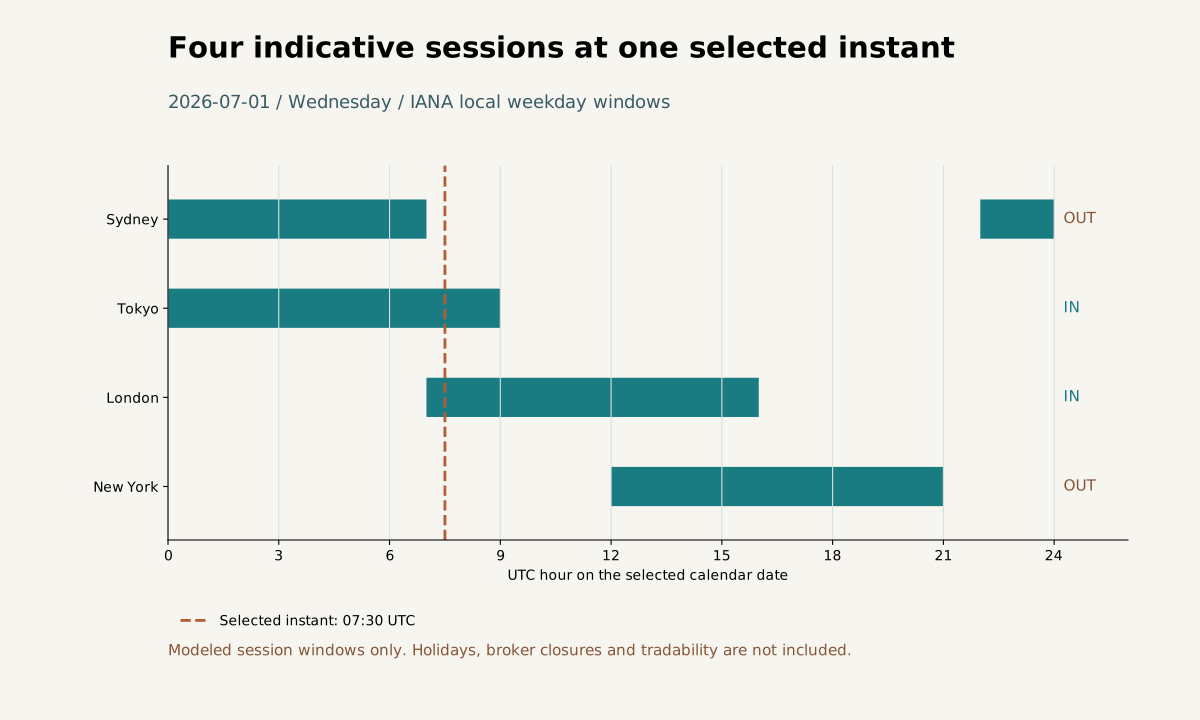
At 2026-07-01 07:30 UTC: Sydney 17:30: OUT; Tokyo 16:30: IN; London 08:30: IN; New York 03:30: OUT. Bars show indicative local weekday windows, not actual market availability.
Open full-size diagram ↗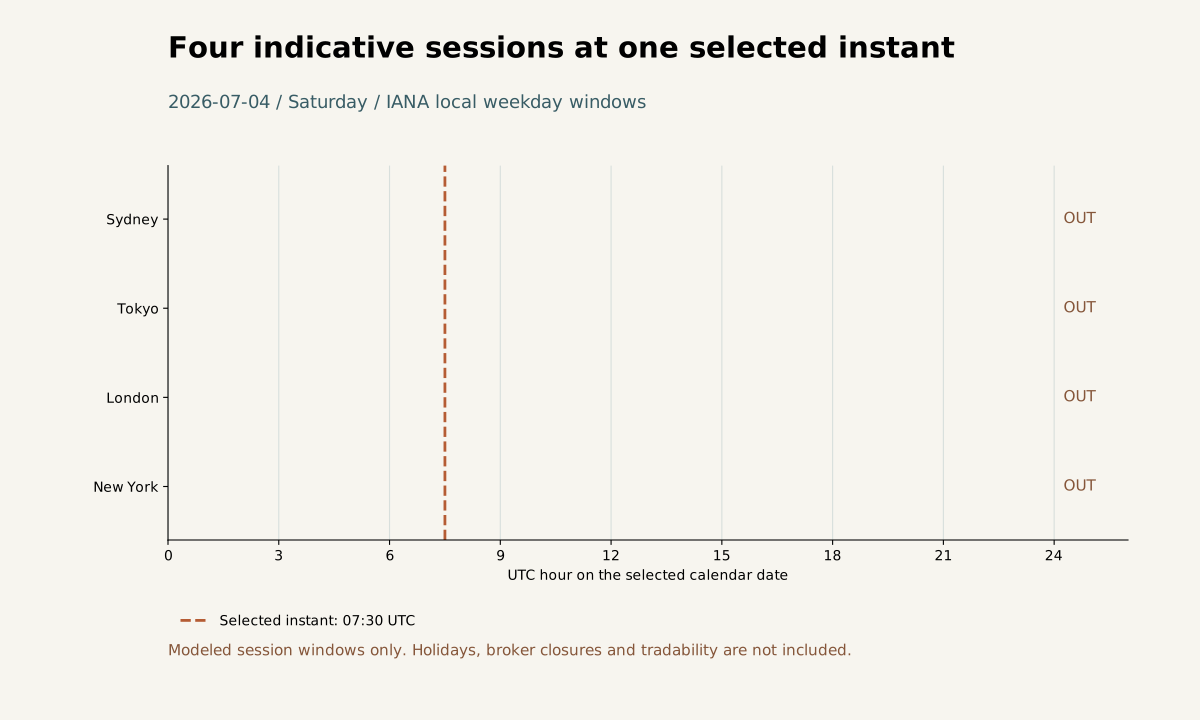
At 2026-07-04 07:30 UTC: Sydney 17:30: OUT; Tokyo 16:30: OUT; London 08:30: OUT; New York 03:30: OUT. Bars show indicative local weekday windows, not actual market availability.
Open full-size diagram ↗Understand the displayed windows
The displayed sessions are indicative weekday windows: Sydney 08:00–17:00, Tokyo 09:00–18:00, London 08:00–17:00 and New York 08:00–17:00, each in local time. The opening hour is included and the closing hour is excluded; weekends are outside the windows. Holidays and broker interruptions are not modeled, and a session status does not show whether an instrument is tradable.
Selected mode and live mode
After a valid check, selected mode stays fixed while you inspect the chosen instant. Return to live clears the selected instant and resets the current clock. Live mode refreshes every 15 seconds. The tool labels which mode is currently displayed.
Check boundaries and invalid entries
For a reproducible boundary check, compare a weekday at the opening hour with the same weekday at the closing hour: the opening is in session and the close is out. Try an impossible date such as 2026-02-30 to confirm the validation message appears; a rejected entry does not replace the displayed instant. Treat these as checks of the calculator's displayed rules, not evidence of market access or liquidity.
Sources and conventions
Examples are hypothetical. Worked examples state their formulas and assumptions in the article; our methodology explains the related calculators. Broker contract specifications determine actual lot, margin and execution conditions. These sources document definitions and data; a source link does not imply endorsement of SanForex or a trading service.
These materials are prepared with AI assistance and checked against worked examples and deterministic calculation tests where applicable. They are not an expert suitability assessment or investment advice.
Open market hours tool ↗